Catch the lean spot before it catches you.
A browser-based data logger and tuning assistant for Megasquirt ECUs, MS3Pro first. Stage 1 watches, logs and flags problems. It never writes to your ECU.
We'll email you when early access opens. No spam, and we don't share your address.
850
0.0
14.7
tgt 14.70.0
Below the form, an illustrative dyno pull plays as you scroll: boost builds, the air-fuel ratio goes lean around 5,000 rpm, knock retard follows, the lean condition is flagged and the throttle is lifted.
Your engine, live, in a browser tab.
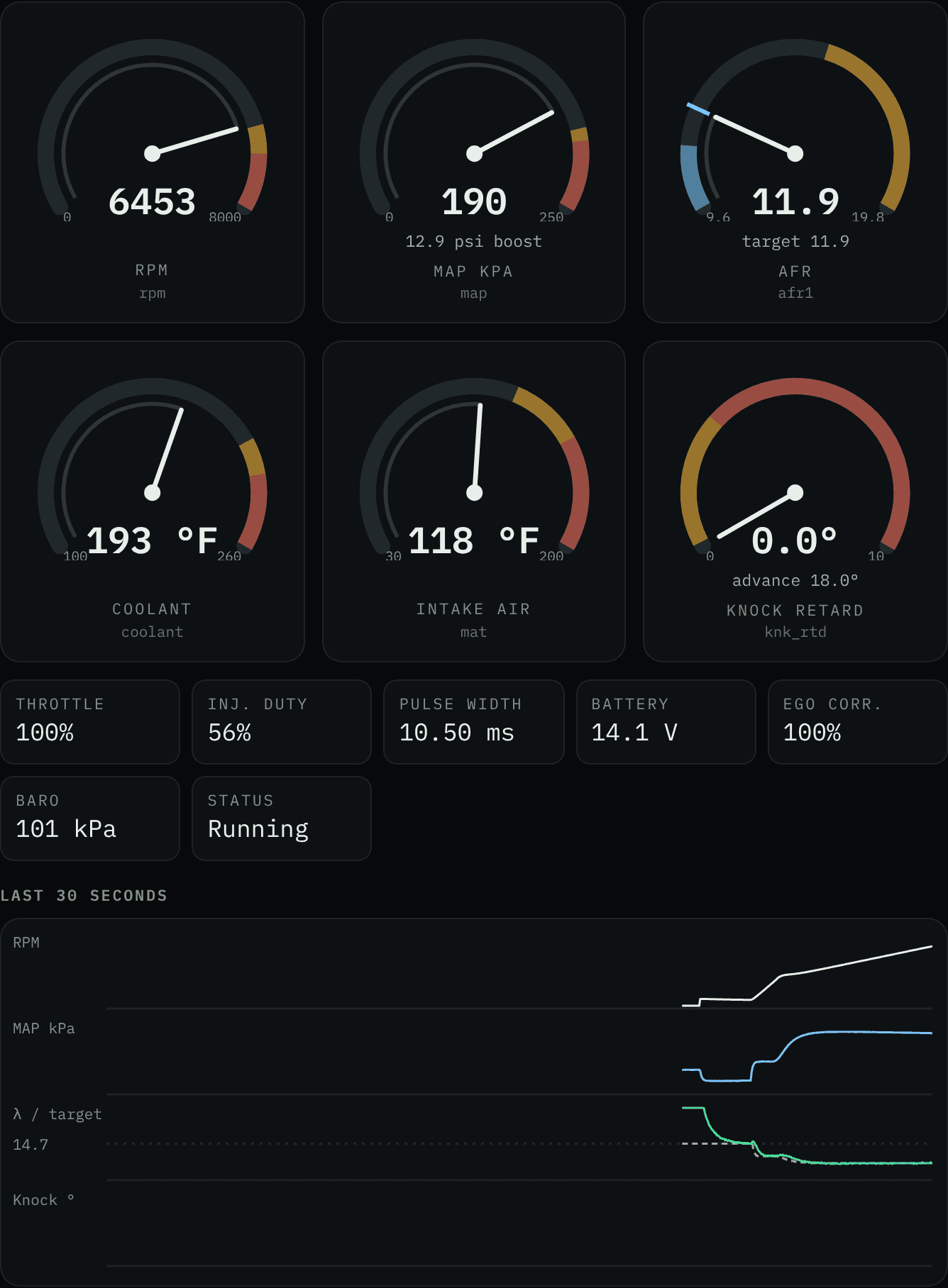
Gauges, a rolling chart and every alert with what to check next. No install, no account, nothing uploaded.
What Stage 1 does
A logger that knows what bad looks like.
Stage 1 is what early access gets you. It watches, records and warns. It does not touch your tune.
- 01
Web Serial
Connects from the browser
USB serial straight from Chrome or Edge on desktop, using Web Serial. Plug in, pick the port, connect. Nothing to install.
- 02
msEnvelope · CRC32
Reads your firmware's INI
Talks the documented TunerStudio serial protocol and loads the INI from your own project, so channel names, scaling and units match your firmware.
- 03
Up to 50 Hz
Live gauges
RPM, MAP, AFR or lambda, coolant, IAT and knock, updating as fast as your connection allows.
- 04
.msl · .csv
Logs you can take elsewhere
Record sessions and export MegaLogViewer .msl or plain CSV. Your logs open in the tools you already use.
- 05
Lean · knock · heat
Flags problems as they happen
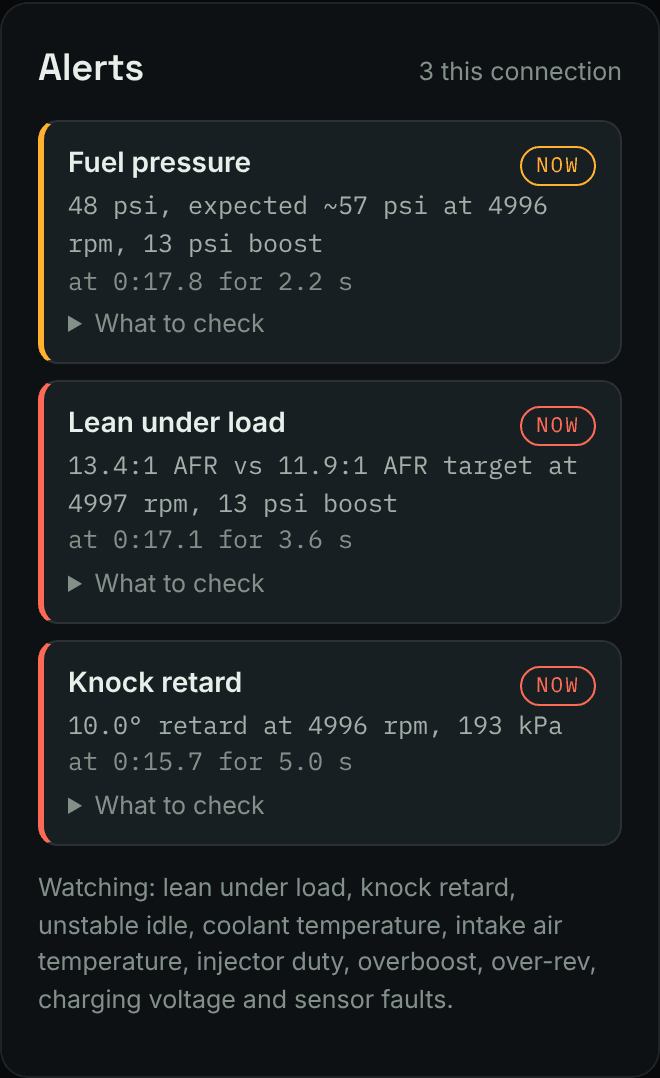
Lean spots under load, knock retard, unstable idle, overheating, injector duty past your limit, overboost and sensor faults.
- 06
Your limits
Knows your engine
Onboarding asks for fuel type, redline, boost limit, injector flow and the rest, so every check runs against your limits, not generic ones.
Torture-tested before your car
We tried to break it on a virtual dyno.
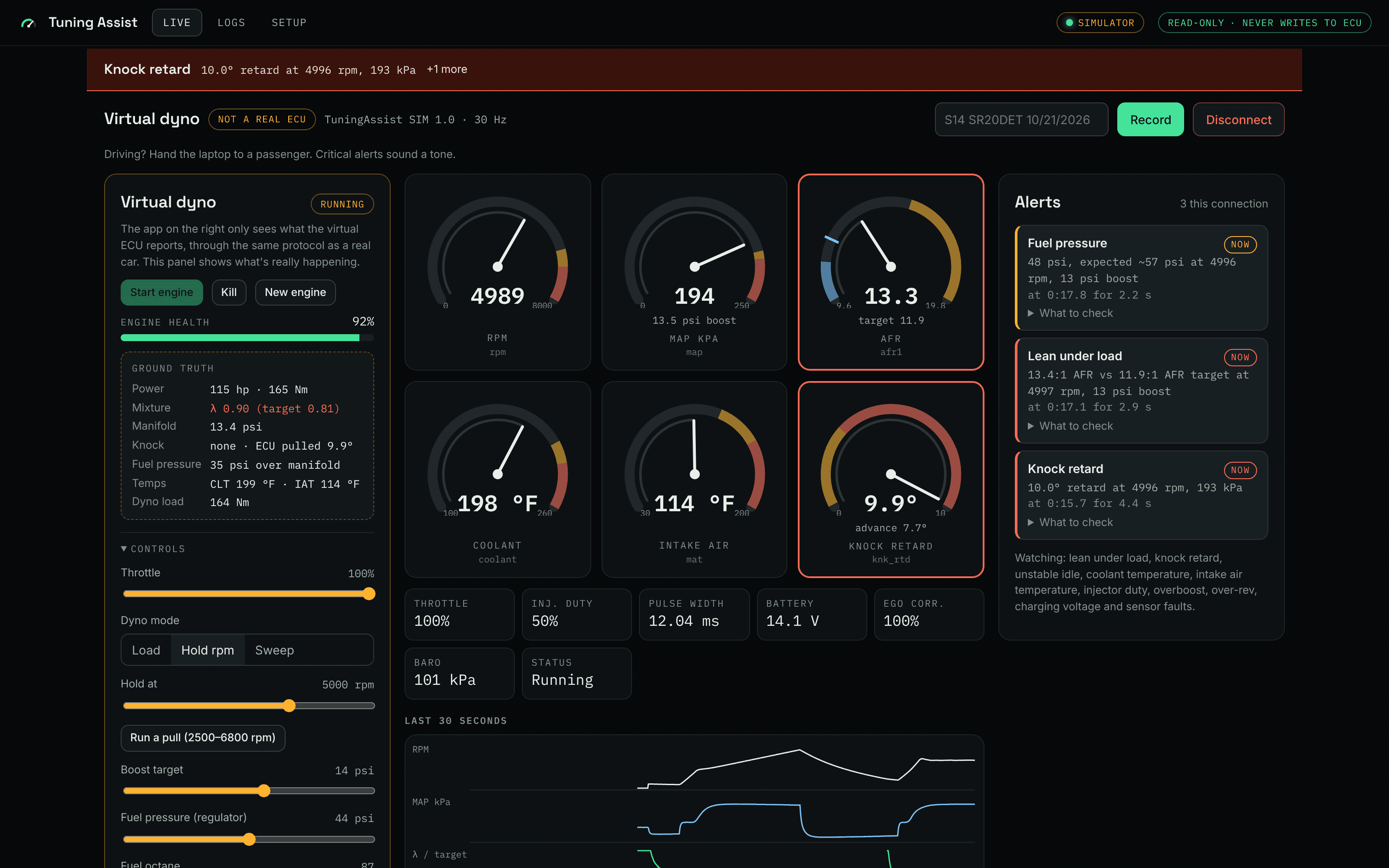
A simulated engine on a simulated dyno, fed to the real app through the same protocol a car uses. Throttle, load, boost and fuel pressure are all controllable, and parts fail on command. A scorecard compares what the engine was really doing with what the app flagged.
16
failure modes injected
Weak pump, clogged injector, stuck wastegate, dead fan, unplugged wideband, MAP hose off, serial noise and more.
100%
of visible hazards caught
Every problem the sensors could actually show.
0
false alarms
Across every fault and every chaos run.
≤0.5s
worst detection time
From a hazard becoming real to the alert.
Alerts don't save engines. Reactions do.
Chaos mode throws random failures at a virtual engine for five minutes at a time. With nobody reacting, most engines died, even though every problem was flagged within a fraction of a second. Add a person who lifts off the throttle one second after a critical alert, and every engine survived.
Some failures are faster than any person. With a MAP hose off under boost the engine went in under a second, and an ECU lean cut that relies on that same MAP sensor can't catch it. That's a setup lesson worth having before it happens on a real car.
Results from the built-in virtual dyno: a simulated engine fed to the real app through the same protocol a car uses. Not a guarantee for your engine.
Safety first
Read-only isn't a setting. It's the design.
Allowed
- Qsignature query
- Sversion info
- Fprotocol version
- ICAN id query
- Arealtime block
- rread a block
Rejected before the port
- w Mwrite page data
- b Bburn to flash
- e Ecommand buttons, reset
- tcalibration upload
- Ureset, bootloader
Anything not on the allowlist is refused in code. There is no setting that turns this off.
Your decisions are still yours
A watch-only tool can't hurt your engine, but what you change because of what it shows you is on you. Flags are warnings from heuristics, not guarantees. No flag doesn't mean safe.
Wideband and knock monitoring, always
Don't tune without a wideband O2 sensor and a way to hear or log knock. This tool reads what your sensors report. If a sensor is wrong, so is everything downstream of it.
Three stages. Each one earns the next.
Only Stage 1 is being built for early access. Stages 2 and 3 are plans, not features, and have no dates.
01
Building now · early access
Watch-only data logger
Live gauges, logging, .msl and CSV export, problem flags. Read-only by design: it cannot write to the ECU.
02
Planned · not available
Suggested table corrections
Suggested VE and AFR target corrections built from your logs. You review them and apply them yourself in TunerStudio. Still no writes from this tool.
03
Planned · not available
Guarded write-back
Supervised writes to the ECU with hard limits, a diff you review before anything changes, and one-click rollback. Only after Stages 1 and 2 have earned it.
What you'll need
MS3Pro first. Here's the rest of the checklist.
Chrome or Edge on desktop
Web Serial is required. Firefox and Safari don't support it.
A USB cable to your ECU
The same connection you use for TunerStudio.
Your firmware's INI file
From your TunerStudio project folder, so channels decode correctly.
A wideband O2 sensor
Narrowband can't tell you what you need to know under load.
Straight answers
Can it change my tune?
No. Stage 1 is watch-only. The protocol layer has a hard allowlist of read commands, and write and burn commands are not on it. They are rejected in code before anything reaches the serial port.
Which ECUs will it support?
MS3Pro first, because that's what it's being built and tested on. Other MS3 and MS2 firmware are on the list but not tested yet. Telling us your ECU when you sign up helps decide what comes next.
Why only Chrome and Edge?
The browser talks to your ECU through Web Serial, which only Chromium-based desktop browsers ship. Firefox and Safari don't support it, and phones aren't a target.
Does it replace TunerStudio?
No. TunerStudio is still where you edit and burn your tune. Only one program can hold the serial port at a time, so you'd disconnect TunerStudio while logging here, and reconnect it to make changes.
What's the virtual dyno?
A simulated engine built from your own specs, behind a virtual ECU that speaks the same protocol as a real one. You can drive it, break parts on purpose, or let chaos mode do it, and a scorecard shows how fast the app caught each problem. It ships with Stage 1, so you can learn the app before connecting it to your car. The physics is simple on purpose: it tests the app's logic, it doesn't predict your engine.
Is the pull at the top of this page real?
It's illustrative: a scripted pull that mirrors one of the app's demo sessions, a lean cell in the fuel table on 87 octane. The screenshots further down are the real app running against the virtual dyno.
When do Stage 2 and Stage 3 ship?
There are no dates. Each stage ships when the one before it has proven itself on real cars. If that takes longer, it takes longer.
What happens after I join the waitlist?
We email you when early access opens. Your answers about ECU and engine help us pick early testers. We don't sell or share your address.
Is this affiliated with Megasquirt or TunerStudio?
No. It's an independent project. It uses the documented serial protocol and your own INI file, and is not affiliated with or endorsed by Bowling & Grippo, msextra, DIYAutoTune or EFI Analytics.
Early access
Get on the list for Stage 1.
Tell us what you run. Early testers are picked by ECU and setup, MS3Pro owners first.
We'll email you when early access opens. No spam, and we don't share your address.